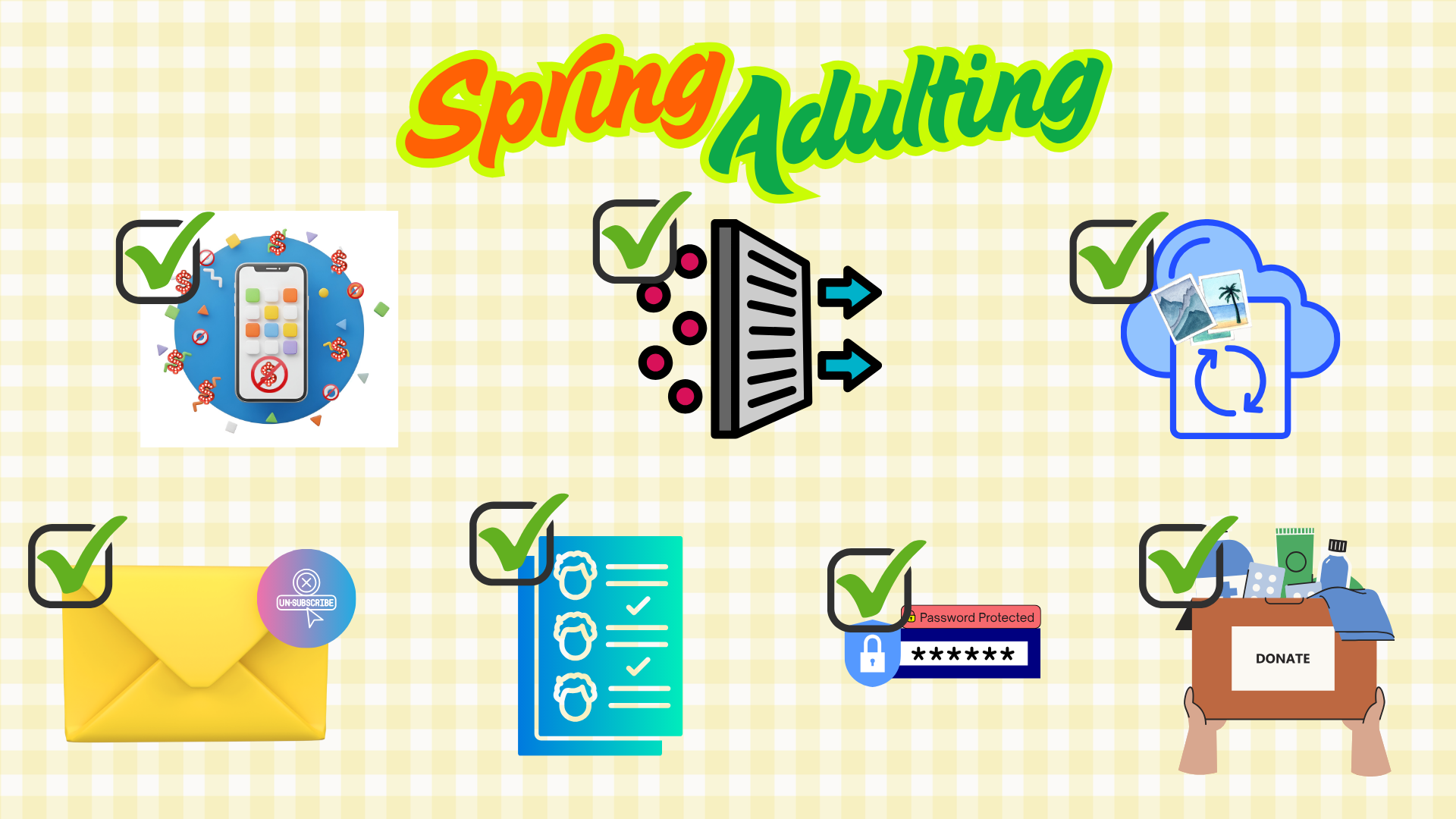
Apps That Actually Make Adulting Easier

Life comes with a lot of moving parts — and most of them don't come with instructions.

Between passwords, subscriptions, schedules, documents, and daily responsibilities, it can feel like managing life is a full-time job in itself. The good news? A handful of well-designed apps can take real weight off your plate — not by adding more noise, but by quietly keeping things organized behind the scenes.

Here are a few categories of apps that genuinely make everyday life easier — and why they’re worth a look. (We have also included a list of suggested apps for each category at the end of this article.)


Password & Account Managers

If you’re still reusing the same password everywhere (or keeping them in your Notes app), you’re not alone — but it’s one of the easiest things to improve.

Password managers securely store your logins, create strong passwords for you, and autofill them when you need them. That means fewer lockouts, fewer “forgot password” loops, and much better protection if a site is compromised.

Why it matters:
Strong digital habits reduce the risk of identity theft and make everyday logins far less frustrating.


Subscription & Budget Trackers

Many people are paying for subscriptions they forgot about — streaming services, apps, memberships, or free trials that quietly turned into monthly charges.

Subscription-tracking apps show you exactly where your money is going and help you cancel what you no longer use. Some also categorize spending so you can see patterns at a glance.

Why it matters:
Less money leaking out = less stress. It’s also eye-opening to see how many small charges add up.


Secure Document Storage

Insurance policies, warranties, medical records, receipts, contracts — these are things you don’t think about until you urgently need them.

Secure document apps let you store important files in one protected place, accessible from anywhere. Some even allow you to share access with family members if needed.

Why it matters:
When life throws a curveball, having documents organized saves time, energy, and frustration.


Life & Task Organization

The best task and calendar apps don’t just track to-do lists — they help you see your time more clearly.

From shared family calendars to reminders for renewals, appointments, and deadlines, these tools reduce mental clutter and help you stay one step ahead.

Why it matters:
Less mental load means more space for the things that actually matter.


Final Thought

The goal isn’t to use more apps — it’s to use a few good ones that quietly support your life instead of complicating it.

A little organization goes a long way, especially when it comes to protecting your information, your time, and your peace of mind.


And if you ever wonder whether something in your life should be reviewed, protected, or updated — we’re always happy to talk it through.


Suggested App Lists:

Password Managers (Stop Reusing Passwords)

If you only improve one digital habit, make it this one.


Popular, highly rated options:

  • 1Password – Easy to use, great for families
  • LastPass – Widely used, good autofill features
  • Bitwarden – Strong security, budget-friendly option


Why people like them:
They securely store your passwords, create strong ones for you, and save you time every single day.


Subscription & Spending Trackers

These apps help answer the question: “Wait… what am I actually paying for?”


Popular options:

  • Rocket Money – Great for subscriptions and spending visibility
  • Mint – Budgeting + spending tracking in one place
  • YNAB (You Need a Budget) – Best for hands-on budgeters


Why people like them:
They surface forgotten subscriptions and make spending patterns obvious.


Secure Document Storage

Think: insurance policies, warranties, medical info, and important records — all in one place.


Popular options:

  • Google Drive – Simple, familiar, easy sharing
  • Dropbox – Strong organization and access controls
  • Apple iCloud Drive – Seamless for Apple users


Why people like them:
Quick access when you need it most — including from your phone.


Task & Life Organization

These apps reduce mental clutter and help keep everything moving.


Popular options:

  • Todoist – Clean, simple task management
  • Notion – Highly customizable (great if you like structure)
  • Google Calendar – Easy sharing for families and teams


Why people like them:
They replace sticky notes, forgotten deadlines, and mental overload.


Keep this in mind:

The goal isn’t to download every app — it’s to find a few tools that quietly make life easier and help you stay organized when it matters most.


Blue and gold emblem with
By Jill Rose January 22, 2026
This post includes "Asking for a Friend" questions that our clients have submistted annonymously for answes about insurane that they felt dumb asking or just want confirmation on. No one has asked a dumb question yet!
December 18, 2025
Winter has a way of slowing everything down — shorter days, colder mornings, and a calendar that somehow fills up fast.
December 17, 2025
Slow-Cooker Chicken and Dumplings Total Time Prep: 20 min. Cook: 5 hours Yield 8 servings Slow-cooker chicken and dumplings is a classic comfort food made easy with shortcut ingredients. This recipe requires minimal effort, so you can enjoy a filling, home-cooked meal anytime! Ingredients 1 small onion, chopped 1 cup chopped carrot 1 cup chopped celery 1 garlic clove, minced 2 pounds boneless skinless chicken thighs or boneless skinless chicken breasts 1 teaspoon dried oregano 1/2 teaspoon salt 1/2 teaspoon pepper 1/2 teaspoon dried marjoram 2 cans (10 ounces each) condensed cream of chicken soup, undiluted 1 cup reduced-sodium chicken broth 1 cup frozen or canned peas, drained 1 can (6 ounces) large refrigerated buttermilk biscuits Chopped fresh parsley, optional Directions Place onion, carrot, celery, and garlic in a greased 6- or 8-qt. slow cooker; stir. Place chicken thighs or breasts on top. Sprinkle with oregano, salt, pepper, and marjoram. In a small bowl, stir together the cream of chicken soup and broth, then pour over the chicken. Cover; cook on low for 4-5 hours or on high for 2-3 hours, or until the chicken is cooked through. Shred chicken with two forks. Stir in peas. Cut the biscuits into 4 pieces each; arrange them on top of the chicken. Cook on high 1 to 1-1/4 hours or until biscuits are cooked through. If desired, top with chopped parsley and additional pepper. Source: tasteofhome.com
November 17, 2025
It comes together in 30 minutes but tastes like it simmered all day.
November 17, 2025
Mid-Season Tips to Keep Your Home Safe All Winter Long
September 5, 2025
A Delicious Taco Night Upgrade!
September 5, 2025
The school year is in full swing, and with it comes the daily challenge: what to pack for lunch? If you're tired of uneaten sandwiches and sad-looking fruit, you're not alone! Packing engaging and nutritious lunches can feel like a daunting task, but it doesn't have to be. With a little creativity and some smart strategies, you can transform lunchtime from a chore into a highlight of your child's day. The secret to a successful school lunch lies in a few key areas: making it appealing, keeping it fresh, and ensuring it's easy for kids to eat independently. Think beyond the basic sandwich and consider incorporating a variety of textures, colors, and flavors. Bento-style boxes or compartmentalized containers are fantastic for offering a mix of small, exciting bites. We've put together some fantastic, kid-approved lunch ideas that are designed to be fun, fast, and fridge-friendly. These options aim to entice even the pickiest eaters and might even spark a little "lunch envy" among their classmates! Lunchbox Bragging Rights: Fun Lunch Ideas Kids Actually Eat (and Other Kids Might Envy) list for parents: Mini Pizza Lunchables (but cooler): Empower your child to assemble their own mini pizzas with pita rounds, marinara, cheese, and toppings. Dino Nugget Charcuterie: A playful take on a classic, featuring warm nuggets, veggies, and dip. Wafflewich: A sweet and satisfying breakfast-for-lunch option with toaster waffles, nut butter, and fruit. Snacky Bento Box: A customizable selection of cheese, crackers, fruit, deli meat, and a small treat for a balanced and fun meal. Deconstructed Taco Day: All the components for a DIY taco, kept separate and ready to assemble. PB&J Sushi: A fun and easy twist on the classic peanut butter and jelly sandwich. Egg-cellent Protein Pack: A protein-packed option with hard-boiled eggs, hummus, and crunchy dippers. Lunch Packing Pro Tips to Make Your Life Easier: Compartmentalize with Color: Use silicone muffin cups to separate items and add a pop of color to the lunchbox. This prevents sogginess and makes the lunch visually appealing. Freeze for Freshness (and Function!): Freeze yogurt tubes or juice boxes overnight. They'll act as eco-friendly ice packs, keeping food cool until lunchtime, and will be perfectly thawed by the time your child is ready to eat. Cookie Cutter Fun: Use cookie cutters to transform ordinary sandwiches, cheese slices, or fruit into fun shapes like animals or silly faces. This simple trick makes lunch instantly more exciting! Add a Personal Touch: Slip in a sweet note, a funny joke, or a small drawing to remind your child you're thinking of them. These little gestures can brighten their day and make lunchtime extra special. By incorporating these creative ideas and simple tips, you can turn school lunch packing into a fun and rewarding experience for both you and your child. You can do them on your own for a daily lunchtime surprise, or let your kids get into the fun with you! Say goodbye to uneaten lunches and hello to happy, fueled-up learners!
August 2, 2025
This Sheet-Pan Gnocchi and Sausage Recipe Is Perfect for Busy Weeknights
August 2, 2025
Small, screen-free resets for solo adventurers, couples, and families alike.